iPhone Overheating After an iOS Update: Is It a Software Issue or a Hardware Problem?

Table of content
1. Introduction
2. Why an iPhone Becomes Hot After an Update
3. When Heating Is Normal
4. Software Issues That Can Cause Overheating
5. Hardware Problems That May Cause Heating
6. Safe Ways to Cool Down Your iPhone
7. Why an iPhone Gets Hot While Charging
8. When Professional Repair Is Required
9. Conclusion
10.Frequently Asked Questions
Introduction
Updating an iPhone should improve its security, performance and features. However, some users notice that their device becomes unusually warm after installing a new iOS version. The battery may drain faster, charging may become slow or certain applications may not work properly. A little warmth during the first few hours is usually normal because the phone may be updating applications and organising files in the background.
However, continued heating during light or normal use should not be ignored. If you are experiencing iPhone overheating after an update, this guide will help you understand the possible software and hardware causes. It also covers safe solutions you can try and explains when professional inspection may be necessary.
Why Does an iPhone Become Hot After an Update?
After installing an update, your iPhone may need time to complete several tasks. It may reorganise files, update search information, download application data and sync photos or documents with iCloud. These tasks take place in the background even when you are not actively using the phone. They can place extra pressure on the processor and battery. As a result, the device may feel warmer than usual for a few hours.
An iPhone heating problem after an iOS update may also be caused by an application that has not been properly optimised for the new software. The application may continue running in the background and use more battery than necessary. Poor network coverage can add to the problem. When the signal is weak, the phone works harder to stay connected. Using mobile data, navigation, video calls or games while the update process continues can increase the temperature further.
When Is Heating After an Update Normal?
A small increase in temperature is usually normal during the first few hours after an update. It may also happen when the phone is restoring data from iCloud, installing several applications or downloading large files. The phone should gradually return to its normal temperature once these activities are complete. Keep it in a cool and well-ventilated place during this period.
Apple explains that a device may temporarily become warm during demanding activities. If it crosses a safe temperature level, the iPhone may reduce performance, dim the display or pause charging to protect its internal parts. You can read Apple’s official guidance on iPhone temperature management. Heating becomes a concern when the phone remains hot during light use, displays a temperature warning or continues losing power quickly for more than one or two days. Unexpected shutdowns and a swollen battery also need immediate attention.
Software Issues That Can Cause iPhone Overheating
Software is often responsible when the problem begins immediately after an update. A temporary iOS error may keep a process active for longer than required. Outdated applications can also create compatibility problems. Open the App Store and install available application updates. Developers often release new versions to work properly with the latest iOS software.
If you notice iPhone battery draining after iOS update, go to Settings, select Battery and review the activity shown for each application. An application using an unusually high amount of power may be running continuously in the background. Location services, automatic downloads and background app refresh may also increase battery use. You do not need to switch off every feature. Instead, review which applications genuinely need continuous access. Low storage can affect performance as well. Remove unnecessary videos, duplicate photographs and unused applications if the device is almost full. Restart the phone after making these changes and observe it for a few hours.
Hardware Problems That May Cause iPhone Heating
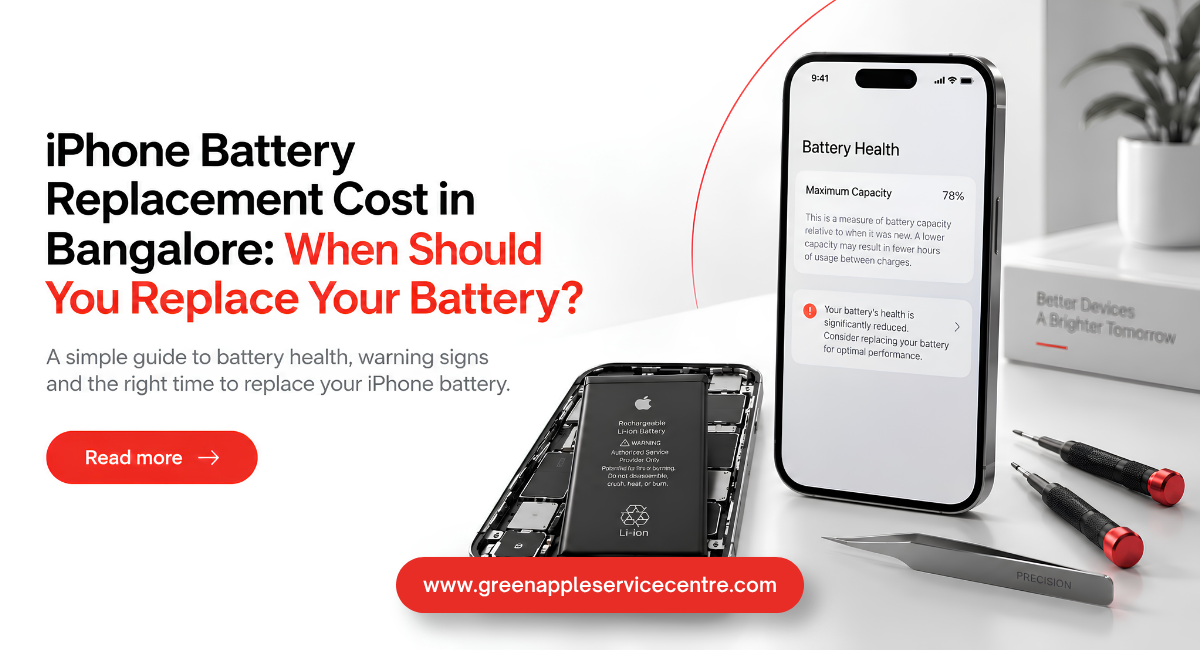
An update may appear to cause the problem even when a hardware fault already exists. The timing can make the two events seem connected. An old or damaged battery may struggle when the phone performs demanding background tasks. Check the battery condition by opening Settings, selecting Battery and then Battery Health. A service recommendation or very low maximum capacity may indicate that the battery needs inspection.
Previous drops, liquid exposure and poor-quality replacement parts can also cause abnormal heating. Damage to the charging system, battery connector or logic board may affect power flow inside the device. Understanding whether it is an iPhone overheating software or hardware issue requires careful observation. If restarting, updating applications and reducing background activity solve the problem, software was probably responsible. If the phone stays hot while idle or the heat comes from one particular area, professional diagnosis may be required. Avoid opening the phone at home. Modern iPhones contain delicate components and lithium-ion batteries that can be dangerous when damaged.
Safe Ways to Cool Down Your iPhone
First, stop demanding activities such as gaming, video recording, navigation and video calling. Remove the charging cable and allow the phone to rest in a cool indoor place. Take off a thick protective case for a short time if it appears to trap heat. Keep the device away from direct sunlight, parked vehicles and hot window areas.
Restart the iPhone and check for application updates. You should also confirm whether Apple has released a smaller iOS update containing fixes for recently reported problems. Do not place the phone in a refrigerator or freezer. A sudden temperature change can create moisture inside the device and damage its internal parts. Do not cover it with a wet cloth either. If the phone displays a temperature warning, switch it off and leave it in a cooler place. Apple recommends allowing the device to return to a normal temperature before using it again. For continued problems, you can explore professional iPhone repair in Bangalore and arrange a proper diagnosis instead of trying unsafe home repairs.
Why Does My iPhone Get Hot While Charging?
It is normal for a battery to produce some warmth during charging. Fast charging, wireless charging and heavy phone use can create additional heat.If your iPhone gets hot while charging, stop using games, camera applications and high-quality video streaming until charging is complete. Charge the phone on a hard surface where air can move around it. Avoid keeping it under a pillow, blanket or inside a closed bag.
Check the charging cable and adapter for damage. An unsuitable or damaged accessory may create unstable charging and excessive heat. Try a reliable compatible charger to see whether the problem continues. The phone may display Charging On Hold when its temperature becomes too high. Charging should resume automatically after the device cools down. Apple provides more information about thermally limited charging. If the phone becomes extremely hot every time it is connected, unplug it and arrange an inspection. The battery, charging port or internal power system may need attention.
When Does Your iPhone Need Professional Repair?
Professional help is recommended when overheating continues for more than two days after the update. You should also seek support if the phone becomes hot while sitting unused or switches off unexpectedly. A battery that expands can push the screen away from the frame. Stop using and charging the device if you notice this sign. Do not press the screen back into place because a damaged battery requires safe handling.
Other warning signs include a burning smell, repeated temperature alerts, charging failure and heat concentrated near the battery or charging port. Back up your important data if the phone remains safe enough to use. A technician should first inspect the battery, charging system and internal components. Ask for a clear diagnosis and repair estimate before approving part replacement. You can visit the Green Apple Service Centre website to learn about its available Apple device repair services.
Conclusion: Keep Your iPhone Safe From Overheating
It is normal for an iPhone to feel slightly warm after an iOS update. The phone may be completing updates and other tasks in the background. Restarting the device, updating apps and avoiding heavy use for some time may help. However, if the phone stays hot, loses battery quickly, stops charging or switches off suddenly, it may have a battery or hardware problem. If you are facing iPhone overheating after an update, Green Apple Service Centre can check your device and find the cause. Contact us to know more about iPhone repair services in Bangalore.
Frequently Asked Questions
Does overheating mean the battery must be replaced?
Not always. Software activity can also cause heat. Battery replacement should be considered only after checking battery health and getting the device properly diagnosed.
Should I switch off my iPhone when it becomes very hot?
Yes. Stop charging it, switch it off and move it to a cooler indoor place. Allow it to cool naturally before turning it on again.
Can an outdated application make my iPhone overheat?
Yes. An application that is not compatible with the latest iOS version may use too much processor power or continue running in the background.
How long should an iPhone stay warm after an update?
It should normally cool down within a few hours. Heavy background work may continue for a day. Heating that lasts longer should be checked.
Why is my iPhone hot after installing an iOS update?
Your iPhone may be organising files, updating applications and syncing data in the background. Mild warmth during the first few hours can be normal.

Nishanth Mathur
Hi! I'm Nishanth Mathur, a freelance tech writer and content marketer. I specialize in creating content for tech companies, with a focus on MacBooks and AI technologies. Whether it's writing in-depth articles, crafting engaging marketing content, or exploring the latest in technology, I'm passionate about bringing complex topics to a wide audience.