MacBook Display Problems: 5 Signs You May Need a Screen Replacement
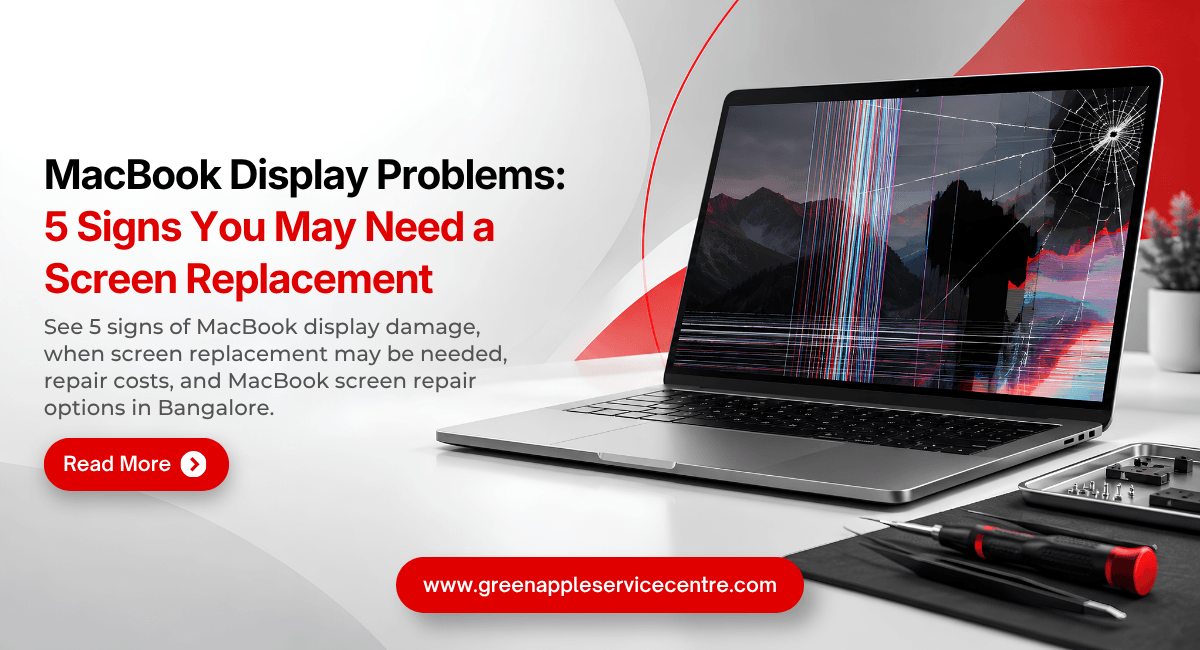
Table of content
- Introduction
- The Screen Is Physically Cracked
- The Display Keeps Flickering
- Horizontal or Vertical Lines Appear
- Part of the Screen Is Black or Distorted
- The Screen Is Completely Black
- When Does a MacBook Screen Need Replacement?
- Understanding MacBook Screen Replacement Cost in Bangalore
- Choosing a Reliable MacBook Screen Repair Service in Bangalore
- How to Protect Your MacBook Display
- Why You Should Not Ignore Early Display Problems
- Conclusion
- Frequently Asked Questions
Introduction
A MacBook display should provide a clear and stable image during everyday use. When lines, flickering, cracks, or dark areas begin appearing, it can become difficult to work comfortably. Some display problems are minor, while others may indicate physical or internal screen damage.
Knowing the warning signs can help you decide when professional MacBook display repair is required. If you are considering MacBook screen replacement in Bangalore, diagnosis should always come before replacement because similar symptoms can have different causes.
Here are five important signs that your MacBook display needs professional attention.
The Screen Is Physically Cracked
A visible crack is one of the clearest signs of display damage. Cracks can appear after the MacBook falls, receives an impact or experiences excessive pressure while being carried.
A small crack may not immediately stop the screen from working. However, you may eventually notice lines, black areas, colour distortion or reduced visibility around the damaged section. Avoid pressing the damaged screen because this can place additional pressure on the display.
A professional MacBook cracked screen repair assessment can determine the extent of the damage. Depending on the model and condition, MacBook screen replacement may be recommended.
The Display Keeps Flickering
An occasional display issue may be caused by software, but persistent flickering should not be ignored. The screen may flash, repeatedly change brightness or become unstable during normal use. This can make reading, designing or watching content uncomfortable.
Before assuming the screen needs replacement, check whether system updates or software changes resolve the issue. If flickering continues, arrange professional MacBook display repair.
A technician can inspect the display system and determine whether the problem is related to the screen or another component. This prevents unnecessary MacBook display replacement.
Horizontal or Vertical Lines Appear
Lines across the screen are another warning sign. They may appear horizontally or vertically and can remain in one area or affect a large part of the display. These lines may follow physical damage but can also appear because of display hardware or connection problems.
If restarting the MacBook does not resolve persistent lines, professional diagnosis is recommended. The technician should identify the cause before recommending MacBook screen repair in Bangalore. If the display panel itself has failed, MacBook screen replacement Bangalore may be required to restore normal viewing.
Part of the Screen Is Black or Distorted
Dark patches, black sections, strange colours and distorted areas can make a MacBook increasingly difficult to use. Physical pressure or impact can damage internal display layers even when the outer surface does not show a major crack. This can result in black patches or unusual patterns that spread across part of the screen.
These symptoms generally need professional inspection. A technician can determine whether the damage is limited to the display or whether another component is involved. If replacement is necessary, ask about component compatibility and the complete MacBook screen replacement cost before approving the work.
The Screen Is Completely Black
A completely black screen may appear to be an obvious display failure, but that is not always the case. The first question is whether the MacBook itself is running. If there are other signs of operation but no image appears, the display system may be responsible.
If there are no signs of power, the issue could instead involve the battery, charger, charging circuit or another internal component. This is why proper MacBook repair in Bangalore is important. Replacing the display without diagnosing the power system could result in unnecessary expense.
When Does a MacBook Screen Need Replacement?
Screen replacement is generally considered when physical or internal display damage cannot be resolved through a smaller repair. Severe cracks, panel failure and extensive display damage are examples where replacement may be recommended.
However, the decision should be based on diagnosis rather than symptoms alone. A professional MacBook service in Bangalore can inspect the screen and other related components. If the problem can be solved through MacBook display repair, complete replacement may not be necessary.
If replacement is required, the technician should explain why and provide information about the component that will be used.
Understanding MacBook Screen Replacement Costs in Bangalore
The MacBook screen replacement cost depends on the exact model and the type of display required. MacBook Air and MacBook Pro models can have different screen specifications. Model year and screen size can also influence cost. Replacement component quality and labour are other factors.
Instead of relying on a generic online price, request an estimate for your exact model. Ask whether labour and the replacement component are included. This gives you a clearer understanding of the total MacBook repair cost before making a decision.
Choosing a Reliable MacBook Screen Repair Service in Bangalore
A good repair provider should diagnose the MacBook before replacing expensive components. When searching for MacBook repair Bangalore, ask whether the technician regularly works with MacBook displays and whether the replacement component will be compatible with your model.
A search for macbook service centre bangalore can provide several options. If you are around Kammanahalli, you may also search for a MacBook service centre Kammanahalli.
How to Protect Your MacBook Display
Good everyday habits can reduce the risk of display damage. Carry your MacBook in a suitable protective sleeve and avoid putting heavy objects on top of it. Never close the lid when an object is resting on the keyboard. Even a small item can put concentrated pressure on the display when the lid closes.
Avoid lifting or carrying the MacBook by the screen. Hold the device securely by the base and open the lid carefully. Regular care is particularly important when the laptop is frequently carried between home, office, college or other locations.
Why Should You Not Ignore Early Display Problems
A display problem may start as an occasional flicker or a single line. Ignoring persistent symptoms can make the MacBook more difficult to use and may delay necessary diagnosis. Getting the device checked does not automatically mean you have to replace the screen. Diagnosis simply helps you understand the cause and available options.
If the screen has suffered physical damage, early inspection can also help you determine whether MacBook cracked screen repair or complete replacement is appropriate.
Conclusion
A cracked screen, persistent flickering, horizontal or vertical lines, black areas and a completely black display are five signs that your MacBook needs professional attention.
These symptoms do not always mean that complete MacBook screen replacement is necessary. Proper diagnosis can distinguish a screen fault from software, power or other hardware problems.
If you need MacBook screen repair or replacement, choose a provider that explains the diagnosis, component quality, warranty and total cost clearly. Making an informed decision can help restore your MacBook display while avoiding unnecessary repairs.
📞 Call: +91 89511 82986
🌐 Visit: www.greenappleservice.com
📍 MacBook repair service available across Bangalore.
Book your MacBook screen diagnosis today.
Frequently Asked Questions
Is It Better to Repair a Damaged MacBook Screen or Replace the MacBook?
Consider the MacBook's age, overall condition, performance and repair estimate. If the device works well otherwise, repairing the screen may be a practical option.
How much does it cost for MacBook screen replacement in Bangalore?
The MacBook screen replacement cost varies according to the model, display specification, replacement component and repair requirements.
Can I continue using a MacBook with a cracked screen?
Minor damage may not immediately prevent use, but physical screen damage can worsen or affect visibility. Professional inspection is recommended.
Does a flickering MacBook screen need replacement?
Not always. Flickering can have different causes. A professional MacBook display repairdiagnosis should identify the problem before replacement.
What are the signs of a damaged MacBook display?
Cracks, flickering, lines, dark patches, distorted colours and a black screen are common signs that the display needs inspection.

Nishanth Mathur
Hi! I'm Nishanth Mathur, a freelance tech writer and content marketer. I specialize in creating content for tech companies, with a focus on MacBooks and AI technologies. Whether it's writing in-depth articles, crafting engaging marketing content, or exploring the latest in technology, I'm passionate about bringing complex topics to a wide audience.