MacBook Trackpad Not Clicking or Lifting? It Could Be a Swollen Battery
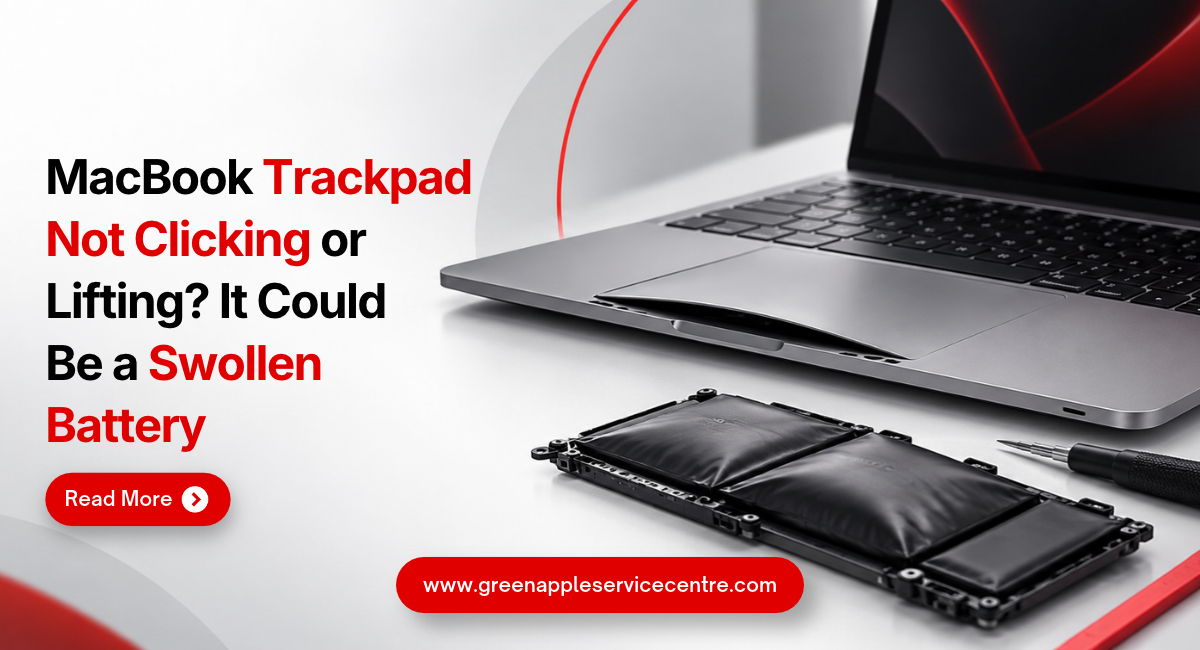
Table of content
1. Introduction
2. Why Is Your MacBook Trackpad Not Clicking?
3. How Can a Swollen Battery Affect Your MacBook Trackpad?
4. Common MacBook Battery Swelling Symptoms
5. What Should You Do If Your MacBook Trackpad Is Lifting?
6. Could It Be a Trackpad Problem Instead of the Battery?
7. How Is a Swollen MacBook Battery Repaired?
8. How to Prevent Battery and Trackpad Problems
9. Conclusion
10.Frequently Asked Questions
Introduction
Imagine opening your MacBook to finish some important work, but the trackpad suddenly feels stiff or refuses to click. You try pressing it again, but nothing happens. You may even notice that the trackpad looks slightly raised or the bottom of your MacBook is no longer flat.
If you are facing a MacBook trackpad not clicking problem, it may seem like a simple trackpad issue. However, in some cases, the battery inside your MacBook could be swelling and putting pressure on nearby parts. A swollen battery is not something you should ignore or try to fix yourself. This guide explains the warning signs, possible causes and safe steps to take when your MacBook trackpad starts behaving differently.
1. Why Is Your MacBook Trackpad Not Clicking?
Your MacBook trackpad helps you move the pointer, open files, scroll through pages and perform everyday tasks. When it stops responding properly, even simple work can become difficult. Sometimes, the problem may be caused by incorrect settings, a temporary software issue or physical damage. Dirt and moisture can also affect how the trackpad responds.
However, a trackpad that becomes unusually stiff or starts lifting may indicate pressure from inside the MacBook. Some MacBook models use a Force Touch trackpad that creates a clicking feeling electronically. If the MacBook is switched off or has no power, the trackpad may not produce its usual clicking sensation. This does not automatically mean something is damaged. If the trackpad is physically raised, the MacBook body is changing shape or you suspect battery swelling, stop using the device rather than continuing to test it.
2. How Can a Swollen Battery Affect Your MacBook Trackpad?
A MacBook swollen battery can sometimes affect the trackpad because the battery is located close to other internal components. MacBook batteries use lithium-ion technology. As batteries age or develop faults, they may sometimes swell because of gas forming inside the battery cells. When this happens, the battery can take up more space than normal and put pressure on nearby parts.
Depending on the MacBook model, this pressure may affect the trackpad or cause the bottom case to become uneven. You might notice that the trackpad no longer clicks normally or appears slightly raised. Battery swelling can also damage nearby components if it continues. This is why a physically raised trackpad should never be treated as an ordinary software problem without checking for possible battery damage.
3. Common MacBook Battery Swelling Symptoms
Battery swelling does not always become obvious immediately. Sometimes, the first warning sign is a small change in how your MacBook feels during everyday use. Knowing the common MacBook battery swelling symptoms can help you recognise when professional attention is needed.
Trackpad Feels Stiff or Raised: You may notice that clicking requires more effort than before. In some cases, the trackpad may appear uneven or sit higher than usual.
MacBook Does Not Sit Flat: Place your MacBook gently on a flat surface without pressing on it. If the bottom case appears raised or the laptop rocks unexpectedly, internal swelling could be one possible cause.
Changes in the MacBook Body: The bottom cover may look uneven or a gap may appear between parts of the casing.
Battery Performance Changes: Some affected batteries may also show poor battery life or unexpected shutdowns. However, battery swelling can happen without obvious battery drain. These signs do not confirm swelling on their own. A professional inspection is needed to identify the cause.
4. What Should You Do If Your MacBook Trackpad Is Lifting?
If your trackpad appears raised or you suspect battery swelling, the safest approach is to stop using the MacBook. Save your work only if it is safe to do so, then shut down the device. Disconnect the charger and any connected accessories. Place the MacBook on a stable, non-flammable surface away from direct sunlight and heat
Do not press the raised trackpad back into place. Avoid placing heavy objects on the laptop or trying to flatten the bottom cover. Never puncture, bend or attempt to remove a swollen battery yourself. Damaged lithium-ion batteries can overheat or catch fire. If you notice smoke, hissing, leaking, a strong unusual smell or excessive heat, keep away from the device and contact appropriate emergency assistance. You can read Apple's battery safety information to understand safe battery handling and care. Arrange professional inspection before using or charging the MacBook again.
5. Could It Be a Trackpad Problem Instead of the Battery?
A MacBook trackpad not working does not always mean the battery is swollen. Sometimes, the trackpad may stop responding because of a software problem, incorrect settings or damage to the trackpad itself. If there are no signs of swelling or physical damage, restarting your MacBook may help resolve a temporary issue. You can also check the trackpad settings in System Settings to see whether the clicking and gesture options are configured correctly.
On Force Touch models, the trackpad's clicking sensation depends on power and its internal feedback system. If the trackpad remains unresponsive after basic checks, professional diagnosis may be needed. However, if the trackpad is lifting or the MacBook casing looks swollen, do not continue troubleshooting by pressing or repeatedly testing it. You can explore MacBook repair services to understand the available professional repair options.
6. How Is a Swollen MacBook Battery Repaired?
If battery swelling is confirmed, the damaged battery generally needs replacement. Swelling cannot be safely fixed by changing software settings or pressing the battery back into shape. A professional technician should first inspect the MacBook to understand the extent of the damage. The technician may also check whether the swollen battery has affected the trackpad, casing or nearby components.
MacBook Swollen Battery Replacement: A MacBook swollen battery replacement should be carried out using suitable tools and safe battery-handling procedures. The repair process depends on the MacBook model. Some batteries are more difficult to remove because of the way they are fitted inside the device. After replacement, the technician should check the battery, charging system and trackpad to confirm that they work correctly. Before approving the repair, ask about the replacement battery, total cost, expected repair time and warranty. For professional assistance, you can learn more about Apple device repair services offered by Green Apple Service Centre.
7. How to Prevent Battery and Trackpad Problems
Not every battery problem can be prevented, but a few everyday habits can help reduce avoidable damage. Keep your MacBook away from excessive heat. Avoid leaving it inside a hot car or exposing it to direct sunlight for long periods. Use a compatible charger and avoid using damaged charging cables.
Make sure the MacBook has enough ventilation during use. Soft surfaces such as beds and pillows can trap heat and make cooling more difficult. Keep macOS updated and check battery health occasionally. If your MacBook shows a Service Recommended warning, consider getting the battery checked. Apple also provides MacBook battery health guidance to help users understand battery condition. Avoid putting heavy objects on your MacBook or applying unnecessary pressure to the trackpad. Most importantly, pay attention when the laptop starts feeling different. A raised trackpad or uneven casing should be checked rather than ignored.
8. Conclusion: Do Not Ignore a Raised MacBook Trackpad
A trackpad that suddenly stops clicking can make everyday work frustrating. While some trackpad problems are caused by software or settings, a raised or unusually stiff trackpad may indicate a more serious issue inside the MacBook. If the battery is swelling, continuing to use the laptop could create additional damage and safety risks. If you notice changes in the trackpad or MacBook body, avoid forcing anything back into place. Switch off the device and arrange professional inspection. Getting the actual problem checked early can help protect your MacBook and give you a clearer understanding of the repair required.
Need Help with a MacBook Trackpad or Battery Problem? If you suspect a MacBook swollen battery, Green Apple Service Centre can help you explore professional MacBook battery inspection and repair options in Bangalore. For more information about the available services, Contact Us and speak with the team.
Frequently Asked Questions
How do I know whether my MacBook battery is swollen?
Warning signs may include a raised trackpad, uneven bottom cover or changes in the MacBook's shape. Professional inspection is needed to confirm the problem.
Can a swollen MacBook battery be repaired without replacement?
A swollen lithium-ion battery generally needs replacement. It should not be punctured, pressed or repaired at home.
Is it safe to use a MacBook with a swollen battery?
No. If you suspect battery swelling, stop using and charging the MacBook and arrange professional inspection.
Can a swollen MacBook battery damage the trackpad?
Yes. A swollen battery can put pressure on nearby components and may affect the trackpad or MacBook casing.
Why is my MacBook trackpad not clicking?
The problem may be related to software, trackpad settings, physical damage or pressure from a swollen battery. A proper inspection can identify the cause.

Nishanth Mathur
Hi! I'm Nishanth Mathur, a freelance tech writer and content marketer. I specialize in creating content for tech companies, with a focus on MacBooks and AI technologies. Whether it's writing in-depth articles, crafting engaging marketing content, or exploring the latest in technology, I'm passionate about bringing complex topics to a wide audience.