Face ID Not Working? iPhone Repair in Bangalore
Table of content
Introduction
Understanding Why Face ID Stops Working
Common Face ID Problems & Practical Solutions
Repair Options: DIY vs Professional Help
How to Choose the Right Repair Service
Expert Tips & Best Practices
Conclusion
FAQs
Introduction
Face ID is one of the most useful features on
modern iPhones. It unlocks your phone instantly, keeps your data secure, and
even helps with payments. When it suddenly stops working, it can feel
frustrating and inconvenient, especially when you depend on your phone for
daily tasks. Many users are unsure whether it’s a small software glitch or a
serious hardware issue.
This guide explains why Face ID fails, how to diagnose the problem, and what repair options you have. You’ll learn simple troubleshooting steps, when to seek expert help, and how professional iphone repair in Bangalore services handle Face ID issues. The goal is to give you a clear, practical roadmap so you can fix the problem confidently.
Understanding Why Face ID Stops Working
Face ID works using Apple’s TrueDepth camera
system. It projects invisible dots on your face and creates a secure 3D map. If
any part of this system is blocked or damaged, Face ID may fail.
There are three main reasons behind most Face
ID problems.
Software issues are the
most common. After an iOS update, settings may reset or conflict with existing
data. Sometimes Face ID just needs a reset or software refresh.
Physical obstructions also
matter. Dust, sweat, screen protectors, or damaged front cameras can block
sensors. Even a cracked display near the notch area can affect performance.
Hardware damage is more
serious. A fall, water exposure, or poor-quality third-party repairs can damage
the TrueDepth camera. In such cases, visiting a trusted Apple service center
Kammanahalli or professional iPhone service Kammanahalli becomes
necessary.
Understanding the cause helps you decide whether a quick fix at home is enough or expert repair is required.
Common Face ID Problems & Practical Solutions
Most Face ID issues fall into familiar
patterns. Here are common problems and simple steps you can try first.
Face ID not recognizing your face
Lighting conditions or changes in appearance
can confuse sensors. Try resetting Face ID in settings and re-registering your
face in a well-lit room.
Face ID unavailable message
Restart your iPhone. If the message continues,
update iOS. Software bugs are often fixed through updates.
Face ID working intermittently
Clean the front camera gently with a
microfiber cloth. Remove thick screen guards that may cover sensors.
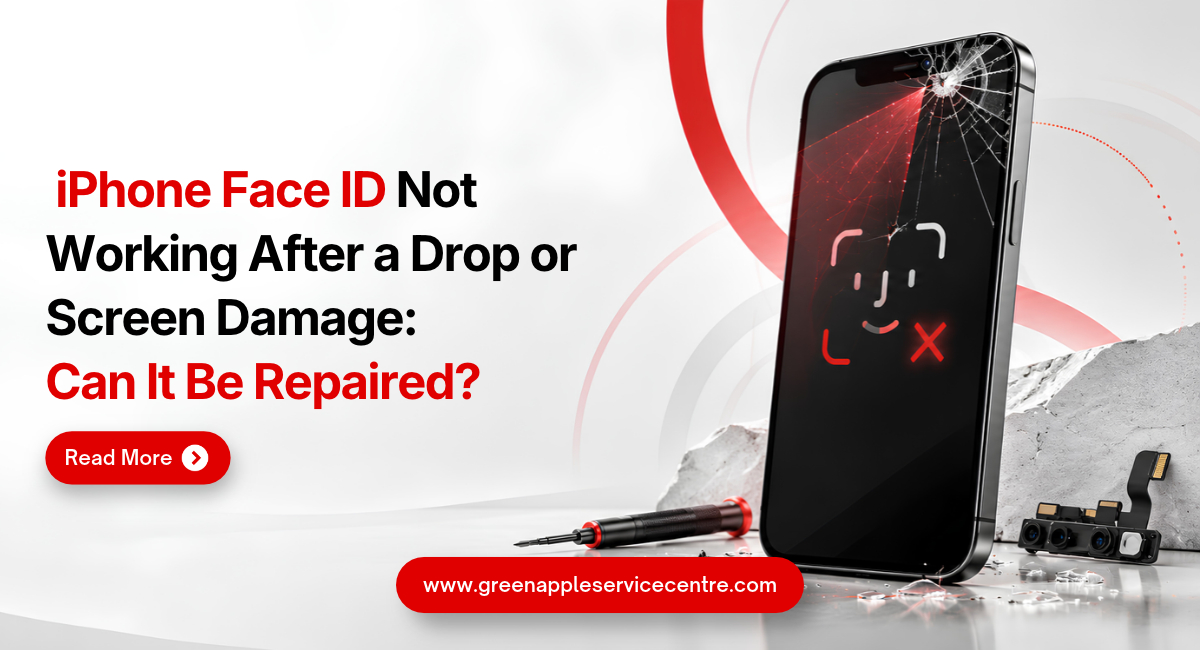
Face ID stopped after a drop
This usually signals hardware damage. Internal
sensors are delicate. At this point, professional iphone repair in Kammanahalli
services are safer than DIY attempts.
If these steps don’t solve the problem, the issue is likely internal and needs expert diagnosis.
Repair Options: DIY vs Professional Help
It’s tempting to try fixing your phone at home
using online tutorials. For small software issues, DIY methods are fine.
Restarting, resetting settings, or updating iOS is safe.
Hardware repairs are different. Face ID
components are paired with your device at the factory. Incorrect handling can
permanently disable Face ID. Cheap replacement parts or untrained repairs may
worsen the problem.
Professional repair centers use proper tools
and diagnostics. Skilled technicians can check whether the issue is with the
camera module, sensors, or internal connections. Reliable iphone repair in
Bangalore providers also test your device after repair to ensure Face ID
works correctly.
Choosing professional help reduces risk and protects your device’s long-term performance.
How to Choose the Right Repair Service
Not all repair services offer the same
quality. A careful choice saves money and avoids repeat problems.
Look for technicians experienced with Apple
devices. Face ID repairs require precision. Ask whether they perform proper
diagnostics before starting repairs.
Check customer reviews and transparency in
pricing. A trustworthy Apple service center Kammanahalli or established iPhone
service Kammanahalli will clearly explain the issue and expected repair
time.
Warranty support is another key factor. Good
repair centers stand behind their work. This shows confidence in their service
quality.
A reliable local service like iphone repair in Kammanahalli should combine expertise, honest communication, and dependable after-repair support.
Expert Tips & Best Practices
Preventing Face ID problems is easier than
fixing them. A few habits can protect your phone.
Use a good protective case to reduce impact
from drops. Avoid exposing your phone to water or high humidity. Even small
moisture exposure can damage sensors.
Keep the front camera area clean. Dust and oil
build-up affect sensor accuracy. Use soft microfiber cloths instead of rough
materials.
Install iOS updates regularly. Apple often
fixes performance bugs through updates. If Face ID behaves strangely, resetting
settings early can prevent bigger issues later.
Small preventive steps extend your device’s lifespan and reduce repair costs.
Conclusion
Face ID problems can come from simple software
glitches or deeper hardware damage. Cleaning sensors, resetting settings, and
updating iOS solve many everyday issues. When the problem continues,
professional diagnosis ensures safe and reliable repair. Choosing an
experienced service center protects your device and avoids unnecessary risks.
Green Apple Service Center is a trusted
repair provider known for practical, transparent solutions. The team focuses on
accurate diagnosis and careful repairs, helping customers restore their devices
without stress. If your Face ID is not working, expert support is available.
📞 Call Us
Now: +91 89511 82986
🌐 Visit
Website: www.greenappleservice.com
Frequently Asked Questions
Where should I go for trusted Face ID repair?
Choose experienced technicians with good reviews and warranty support. A reputable Apple service center Kammanahalli or skilled local repair provider ensures safe handling of your device.
Will repairing Face ID delete my data?
Most Face ID repairs do not erase data. However, backing up your phone before service is always a safe practice.
How long does Face ID repair usually take?
Simple repairs may take a few hours. Complex hardware fixes can take longer depending on parts availability. Reliable iPhone service Kammanahalli centers usually provide clear timelines.
Does water damage affect Face ID sensors?
Yes. Moisture can damage delicate camera components. Even if the phone works, Face ID may fail. Immediate professional inspection helps prevent further damage.
Can I fix Face ID at home?
You can try safe steps like restarting or resetting Face ID. Hardware repairs are risky without proper tools and skills. Professional service is safer for internal issues.
Is Face ID repair expensive in Bangalore?
Costs vary depending on the damage. Software fixes are inexpensive, while hardware repairs cost more. A professional iphone repair in Bangalore center can provide an accurate estimate after diagnosis.
Can a screen protector affect Face ID performance?
Yes. Thick or poorly fitted screen protectors can block the TrueDepth camera. Removing or replacing the protector with a compatible one usually improves Face ID accuracy.
Why did my iPhone Face ID suddenly stop working?
Face ID may stop due to software bugs, dirty sensors, or internal damage after a fall. Restarting the phone and updating iOS often fixes minor issues. If the problem continues, hardware inspection is recommended.

Nishanth Mathur
Hi! I'm Nishanth Mathur, a freelance tech writer and content marketer. I specialize in creating content for tech companies, with a focus on MacBooks and AI technologies. Whether it's writing in-depth articles, crafting engaging marketing content, or exploring the latest in technology, I'm passionate about bringing complex topics to a wide audience.